What's New in Version 3.00 ?
----------------------------
We are pleased to announce the release of SonicPanel v3.00. Bringing highly requested features to empower your radio station. Playlist Intervals Scheduling, FTP Uploads, Advanced Listeners statistics, New playlist scheduling options, along with many other new features, UI improvements, and bug fixes.
**Frequently Asked Questions:**
**- ****Where is the old Jingle/IDs feature and how to use it ?**
**1)**Simply create a new playlist in the **Playlist Manager** (for example, give it a name, “Jingles”). Upload MP3 files to this playlist using the MP3 upload button or via FTP.
**2)** Then, select this playlist in the **Playlist Intervals** feature from the left menu and choose the option "play number of songs after every **X** songs" in the form.
- Play number of songs after every **X** songs << This is the old jingle play.
How to play jingles and upload using the upload button: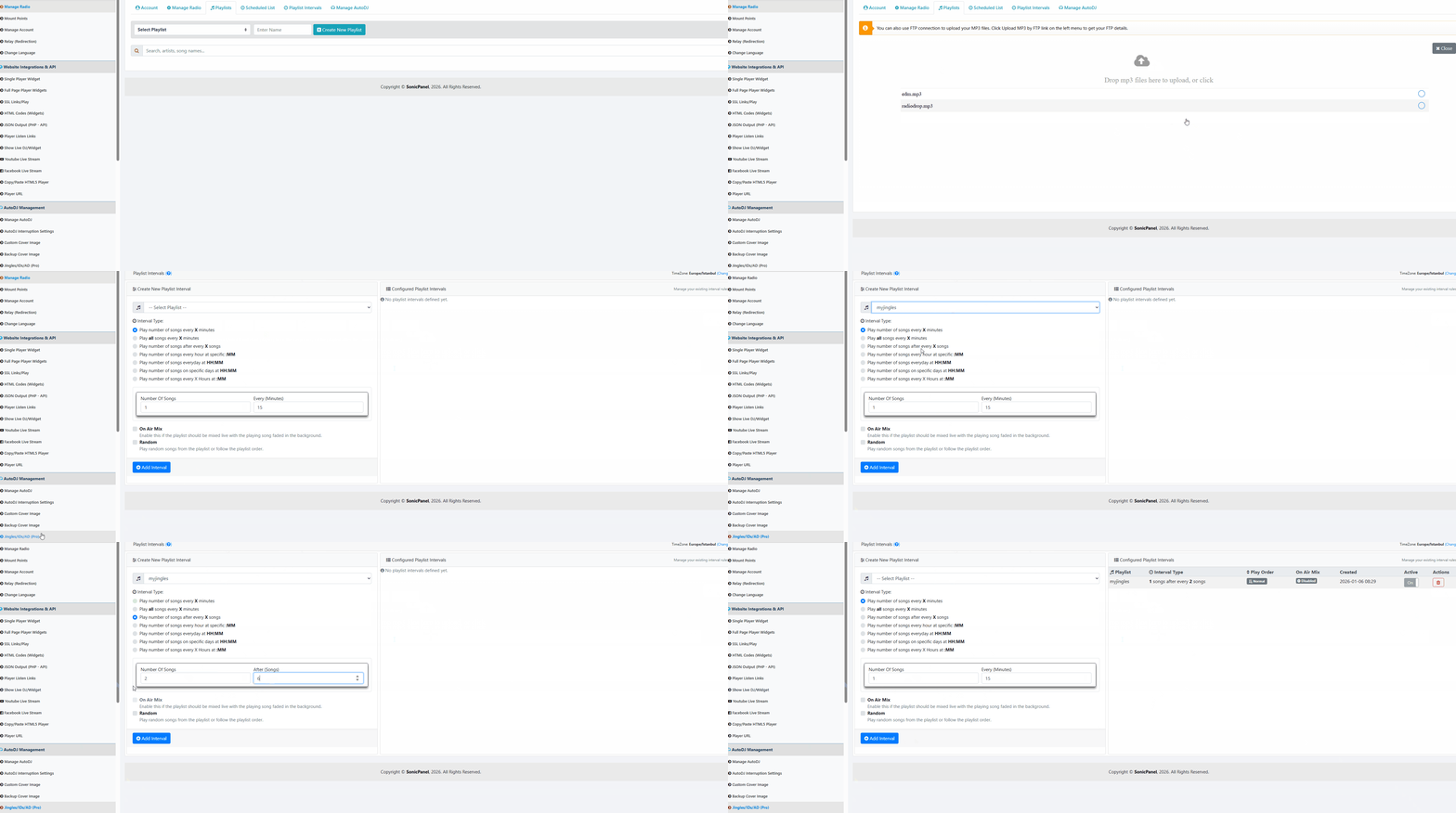
How to play jingles and upload by FTP: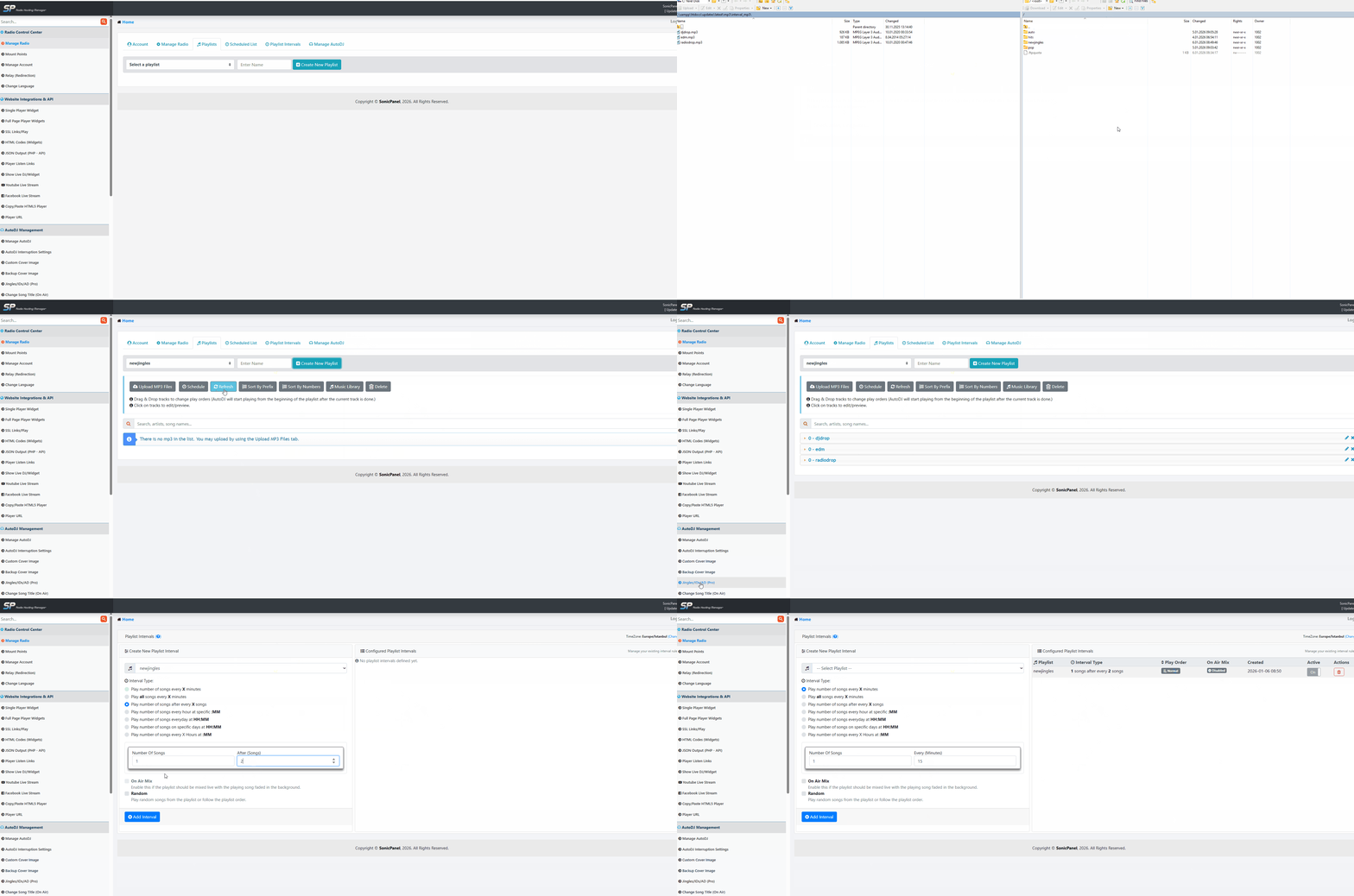
**-****Where are my old jingle files and how to download them ?**
They have been moved to the **Scheduled Playlists** page. You can download them using the download button, and you can also use them as intro/outro jingles within scheduled playlists.
**– Why does half of my jingle or song fade out and not play completely?**
This is caused by the crossfade setting in *Manage AutoDJ*. If a jingle or song is very short (for example, less than 5 seconds), the crossfade transition can cut off part of the audio. To improve playback, set the crossfade value to **2** or **1** seconds on the ***Manage AutoDJ*** page if your jingles or songs are less than 5 seconds.

- USL Home
-
Store
- Browse All
- Hosting (cPanel-Linux)
- Re-seller Hosting Servers (WHM & cPanel)
- Radio's Dedicated Streams + Scheduling
- Re-Seller Radio Servers
- FTP Storage/Backup Servers
- Dedicated ROOT Radio Server Unlimited
- Servers Dedicated - cPanel/WHM
- Website & Design Products
- Extra Internet Services
- Support Services
- WHMCS Install & Services
- Bundles & Specials
- Register a New Domain
- Transfer Domains to Us
- Help
- Contact Us
-
More